
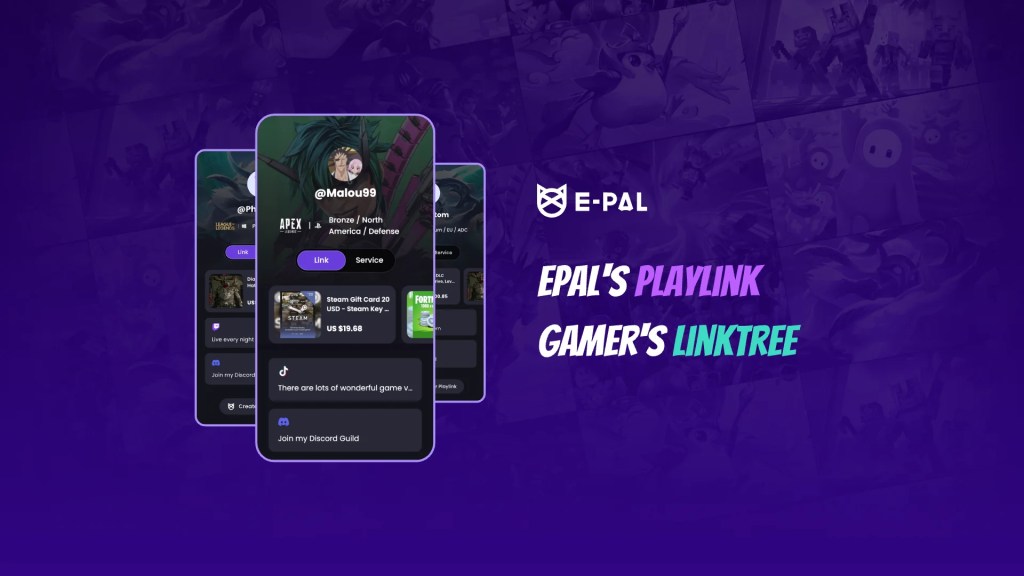
On the active social platform E-Pal, the term “My Playlink” must be quite familiar to everyone. But have you ever wondered why so many users are keen on using Playlink links? What exactly is Playlink? And what are its unique features and uses? This article will analyze all aspects of Playlink in depth to help you decide whether to use this tool and also provide you with valuable suggestions on effectively using it for game social media marketing.
1. What is Playlink?
As gaming enthusiasts, we’ve accumulated so many share-worthy contents in the gaming world — cool screenshots of game achievements, carefully recorded highlight videos of intense battles, treasured game guides and cheats, as well as displays of beloved game character skins and items. In the past, if you wanted to share these scattered “treasures”, you probably had to send links one by one, which was cumbersome and time-consuming.
However, the Playlink feature has completely changed this situation. It’s like an all-powerful “storage box” for gaming resources, capable of cleverly linking up every little bit related to your games. Whether it’s your glorious moments in different games or the exclusive insights you’ve painstakingly accumulated through gaming, it can all be included in Playlink. With Playlink, all you need is one link, which is equivalent to having an “index catalogue” of your gaming treasures. All the wonderful contents are within reach, making sharing easier and more efficient than ever before.
2. How Does Playlink Work?
- First, visit epal.gg and sign up for an E-Pal account. This is the first step to start your Playlink journey, and the registration process is simple and convenient. Just fill in the relevant information according to the prompts.
- Next, enter your profile page and click on the Playlink tab to start the creation process. At this point, you are about to create your own unique link page.
- Then, carefully select and determine the links you want to share with your fans. Playlink will generate a mini-website based on your choices to display these links. You can integrate exciting game-related content, social media account links, etc. here.
- Finally, copy the generated custom link and paste it wherever you want, whether it’s in the profile of social media or in the messages shared with friends.
3. Is Playlink Feasible for Marketing?
(1) Free and User-Friendly
In marketing activities, speed and convenience are of vital importance, and Playlink just meets these two points. The setup process is extremely easy, allowing you to quickly add all your links to a customizable and branded Playlink page. You can include all your social media links, and if you have merchandise or second-hand game-related items for sale, you can also display them on this page.
(2) Showcasing Your Gaming Life
Playlink is not only a social network hub for personal branding but also has unique functions. It can display your rank levels in different games, your gaming achievements and honors, as well as basic information about your gaming life, just like a gaming ID card.
4. Steps for Setting Up Playlink
- Go to E-Pal and create a free account. This is the basic operation, just like laying the foundation for building a tall building.
- Click on the Playlink tab on your profile page to start the setup process.
- Add key information to your account bio so that your fans can have a preliminary understanding of you.
- Add as many links as needed to enrich the page content.
- Display game-related items or derivative products on Playlink to attract more attention.
- Copy the Playlink URL and you can use it directly or share it on social media accounts to start your marketing journey.
 E-Pal blog